Free
$0 forever
No card, no trial clock, no expiry.
- Every feature, not a trial
- AES-256-GCM on your device
- Your Drive or your OneDrive
- Up to 1,000 file uploads
CipherNest encrypts your files on your device before they reach Google Drive or OneDrive. The provider stores ciphertext. You hold the keys.
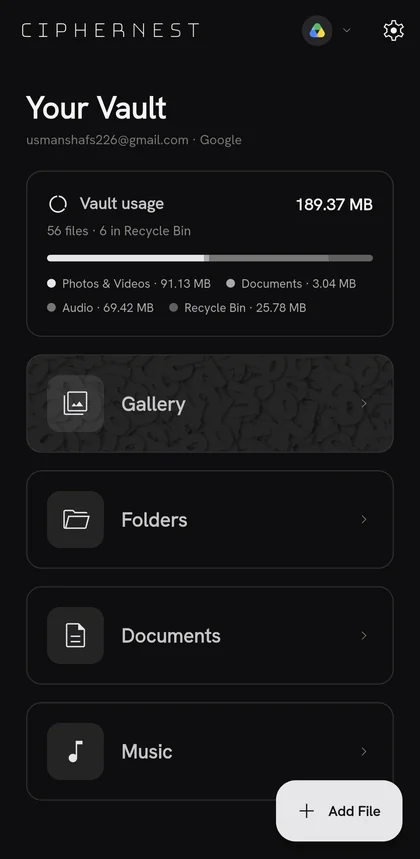
CipherNest writes encrypted files into the cloud account you already have. Nothing is migrated, nothing is copied to a server of ours, and there is no second storage bill.
So we make sure there is nothing to read. Encryption happens on your device, before the upload, every time.
Without CipherNest
 luna.jpg
  beach_20260407.mp4
 Readable by the provider. Scanned, indexed, and disclosable.
With CipherNest
AES-256-GCM ciphertext. No preview, no filename, no key.
Prioritising encryption AND user experience.
Every one of these is a good product.
| Feature | CipherNest | Cryptomator | pCloud + Crypto | Proton Drive | Ente |
|---|---|---|---|---|---|
| What it is | Encryption layer over your cloud | Encryption layer over your cloud | Cloud storage, encryption is an add-on | Encrypted cloud storage | Encrypted photo storage |
| Keep your existing cloud | Yes | Yes | No | No | No |
| Complete file management | Yes | Yes | Yes | Yes | No |
| Everything encrypted by default | Yes | Yes | No, only the Crypto folder | Yes | Yes |
| Built for mobile first | Yes | No, desktop first | Yes | Yes | Yes |
| Photo gallery and timeline | Yes | No | Yes | Basic | Yes |

| Encrypted video streaming | Yes | No | Yes | No | Yes |
| Open source | Yes, GPL-3.0 | Yes, GPL-3.0 | No | Yes | Yes |
| Independently audited | Not yet | Yes | No | Yes | Yes |
| Price | Free to 1,000 files, then $1.99/mo | Free on desktop, €29.99 once on mobile | Storage plan, plus $4.99/mo for Encryption | Free 5 GB, then from $4.99/mo for 200 GB | Free 10 GB, then from $2.99/mo for 50 GB |
Every claim here is a claim about code you can read. CipherNest is GPL-3.0: the encryption, the key handling and the sync are all in the open, with test vectors. The app asks Google only for the drive.file scope, so it touches nothing else in your Drive.
The free plan is the whole app. Plus only lifts the upload cap.
No card, no trial clock, no expiry.
Cancel anytime.
Quick answers to what I am asked most. If yours is not here, write to support@ciphernest.io.
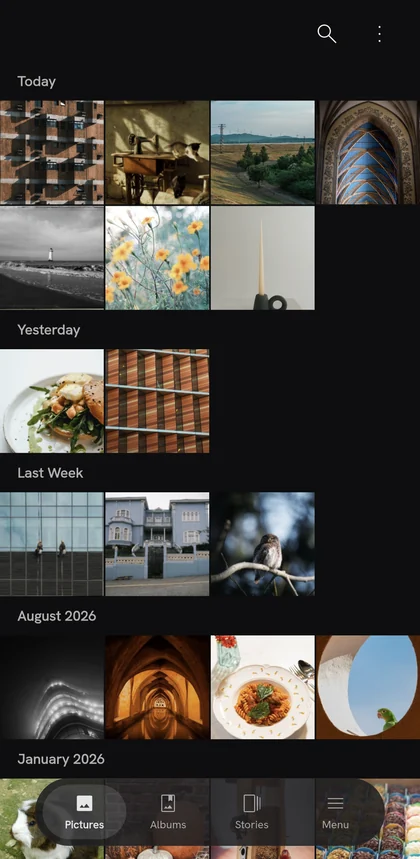
CipherNest is an open-source Android app that encrypts photos and files on your phone before uploading them to your own Google Drive or OneDrive, so your cloud provider stores only ciphertext. Google or Microsoft keeps the files but cannot read them, and the keys never leave your device.
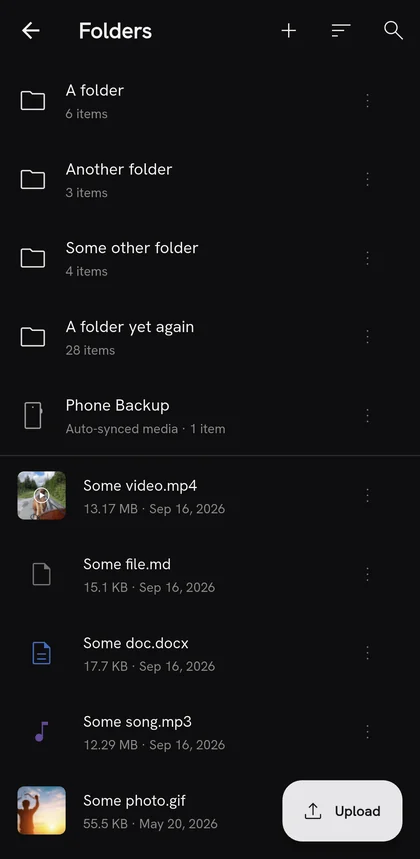
No. CipherNest works inside the Drive or OneDrive you already use, in a folder it creates. Nothing migrates. If you already pay for Google One or Microsoft 365, you keep using that space instead of buying storage somewhere else as well. If you have a large library on your phone, the app can back it up into the vault for you.
They can see that encrypted files exist: how many, how large, and when they were uploaded. They cannot see the contents, the filenames, the file types, or your folder structure. All of that is encrypted before it leaves your device.
CipherNest runs no storage servers and no accounts. The only server involved is a small proxy used when someone opens a share link in a browser, and it only ever handles encrypted bytes. It never receives a decryption key. The app talks directly to your cloud provider.
Not in place. CipherNest can only see files it created itself, because it asks Google for the drive.file scope and nothing wider, so it cannot reach into the rest of your Drive. Anything already there has to come through your phone: download it, add it to the vault, then delete the plain copy from Drive. Photos and files on the phone itself can be added directly or picked up by auto backup.
Yes. Sign in with your Microsoft account and CipherNest creates its folder in that OneDrive, with the same encryption and the same features as on Google Drive. Work or school accounts managed by an organisation may ask for an administrator's consent first, because Microsoft has not yet verified CipherNest as a publisher.
Yes. Restore your vault on a second device with your recovery phrase and both stay in sync, including folders and albums, with no server in between. Changes made offline on both devices merge when they reconnect.
When you set up CipherNest, the app generates twelve random words on your device. That phrase is your vault. Everything is derived from it: the keys that encrypt your files, your identity on a new device, and the record of your subscription. It is never sent anywhere and I never see it. Write it down and keep it somewhere safe.
The password is local to one device. It unlocks the app on that phone and nothing else, and you can set a different one on each device you use. The recovery phrase is the vault itself. You need it to get back in if you delete the app, to set up CipherNest on a new device, and to carry your subscription across devices. A password can be changed. A recovery phrase cannot, because changing it would mean re-encrypting everything you own.
Then the files are irretrievable. They cannot be recovered by support either. To prevent this, write the phrase down and keep it somewhere safe.
Not by a third party yet. I have completed an OWASP MASVS self-assessment and published the report in the repository, and I am pursuing a funded independent audit.
Files are encrypted with AES-256-GCM in chunks, and each chunk is bound to its position and to the file it belongs to, so a modified, reordered or truncated file fails to decrypt rather than silently opening. Per-file keys are protected with HPKE as specified in RFC 9180. Your vault key is derived from your recovery phrase. The details, with test vectors, are in the source.
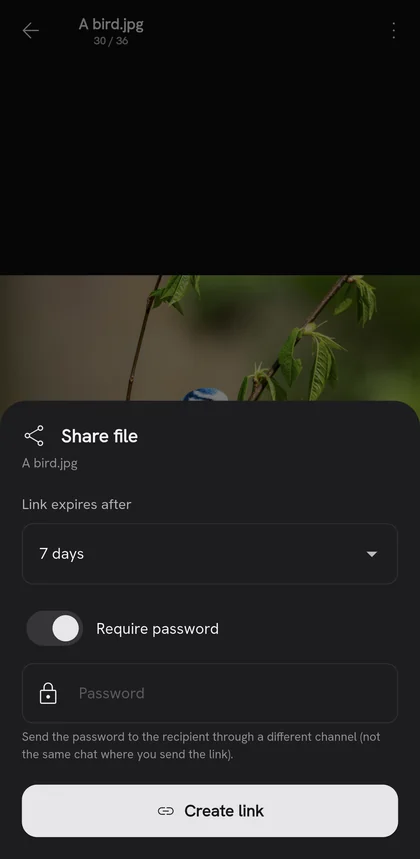
Private from the cloud and the network, yes. The decryption key lives in the part of the link after the #, which browsers never send to any server. But anyone who can read the link can open the file, so a plain link is only as private as the chat you send it in. For anything sensitive, use a password-protected link and share the password separately. That link carries no key at all.
Microsoft only verifies apps published by registered companies, and CipherNest is currently built by one person. The warning does not change what the app can access: it asks only for permission to read and write its own files in your OneDrive. I will complete publisher verification when the project incorporates.
Everything. Every feature, every provider, no trial period, no card. The single limit is 1,000 files in your vault, counting files in the Recycle Bin until you empty it.
It removes the file limit. Nothing else changes: same app, same encryption, same features. Plus is $1.99 a month or $19.99 a year, with a one-time $39 Lifetime purchase, Plus for life, while seats last. Prices adjust by region in Google Play.
Nothing. Your files stay fully readable, downloadable and deletable. You drop back to the free plan's limit for adding new files. No files are held hostage to a subscription.
Plus belongs to your Google account and to one recovery phrase at a time, so a new phrase starts on the free plan. In the vault you want it in, open Settings, CipherNest Plus, Restore purchase, and Plus moves there. The other vault keeps all its files and returns to the free limit. Google Play sells one Plus per account, so a second vault cannot buy another.
Subscriptions are handled entirely by Google Play. Cancel from your Play Store subscriptions page at any time and you keep Plus until the end of the period you paid for. Refunds follow Google Play's policy.
Yes, under GPL-3.0. The full source, including the encryption and sync code, is published at launch, and ciphernest.io/source is its permanent address. If you want to know what the app does with your files, read the code. That is the point of publishing it.
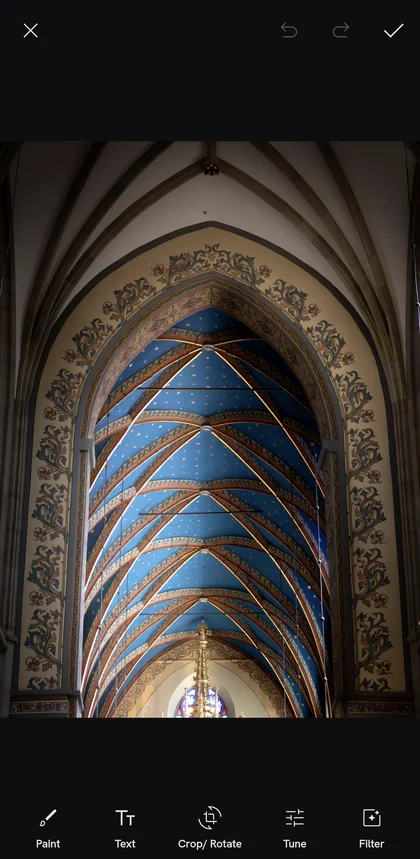
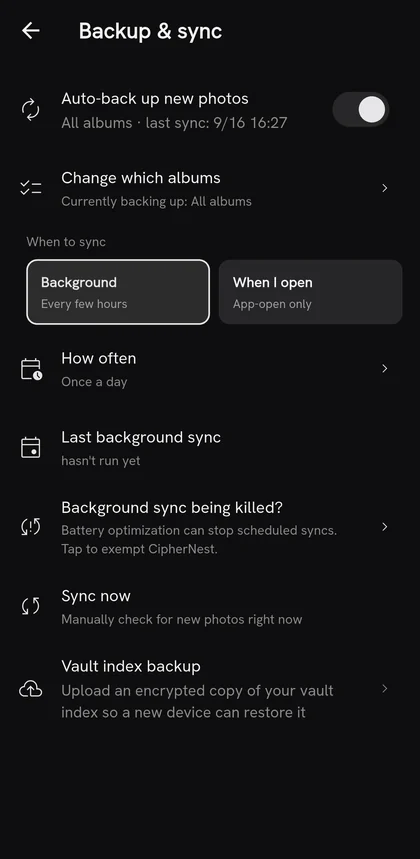
For a phone, yes. Both encrypt files on your device before they reach a cloud you already use, and both are open source under GPL-3.0. Cryptomator is desktop first and has been independently audited; CipherNest is built for Android first, with a photo gallery and timeline, encrypted video that plays from the vault, background auto backup, and sharing by link, and its audit is still ahead of it. If you live in a file browser on a laptop, Cryptomator fits. If your files are photos on a phone, CipherNest was built for that.
Your files are in your own cloud account, encrypted with a documented, open format, and the app keeps working without any CipherNest infrastructure. Nothing about your data depends on this project existing.
I am a solo dev, however, a web version is in progress. If there is enough demand to justify it, I will take CipherNest fully cross-platform. The encryption format and the sync design were built from the start so those clients can be added without changing anything for existing users.
A web version, and cross-platform support beyond that if the demand is there. On the app itself: on-device AI for the gallery so search and organisation work without anything leaving your device, viewers for more document types beyond PDF, and so on. More cloud providers, starting with pCloud and Dropbox.
Google Drive and OneDrive today. pCloud and Dropbox are next.